

PinchaPlay · extension for Chrome
Learn at your own pace.
Speed, skips and clearer sound for the video and audio you learn from, on any website. PinchaPlay only enters a page when you click it. No tracking. No ads. No account.
For Google Chrome 124 or later. Every Pro feature can be tried free for 15 days.
See it
Click an image to enlarge it.
What it does
Your speed
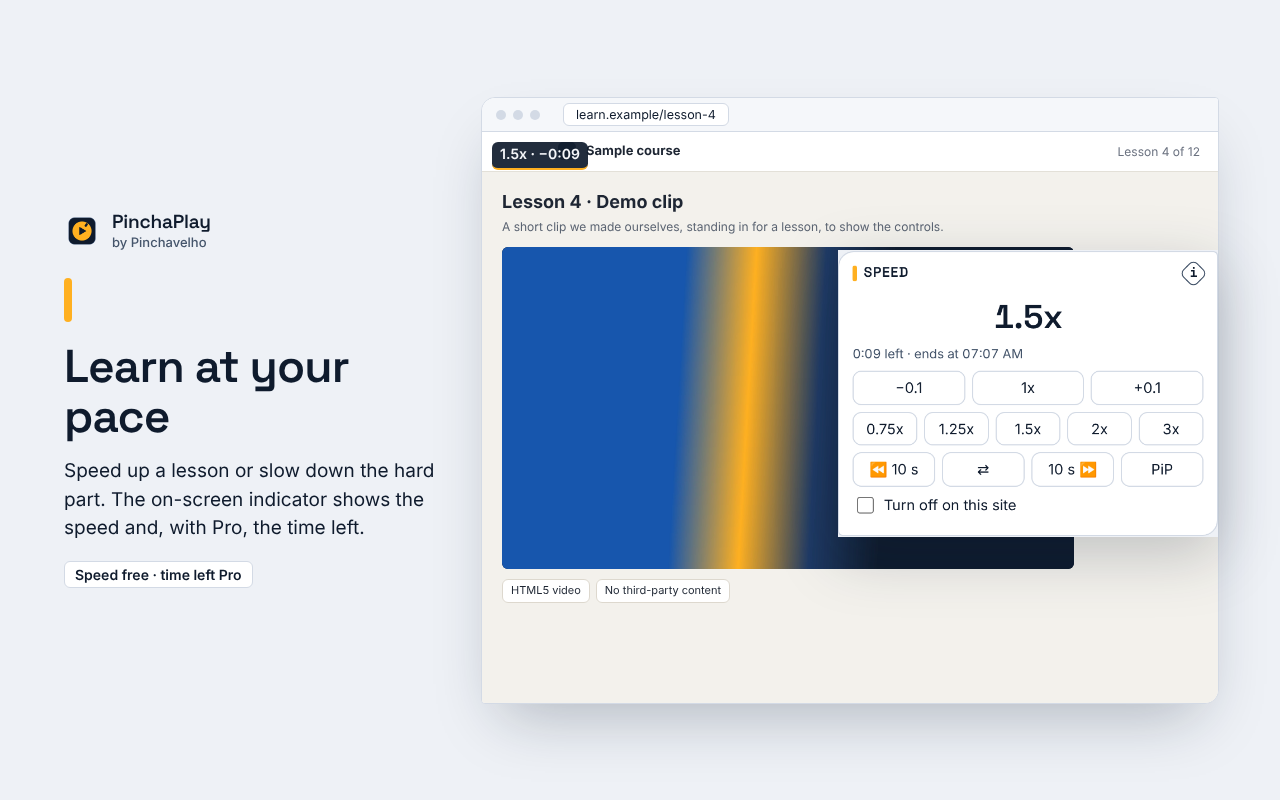
From 0.1x to 16x, in steps of 0.1 or with one-click presets. The speed you pick stays as you move through the video.
Less waiting
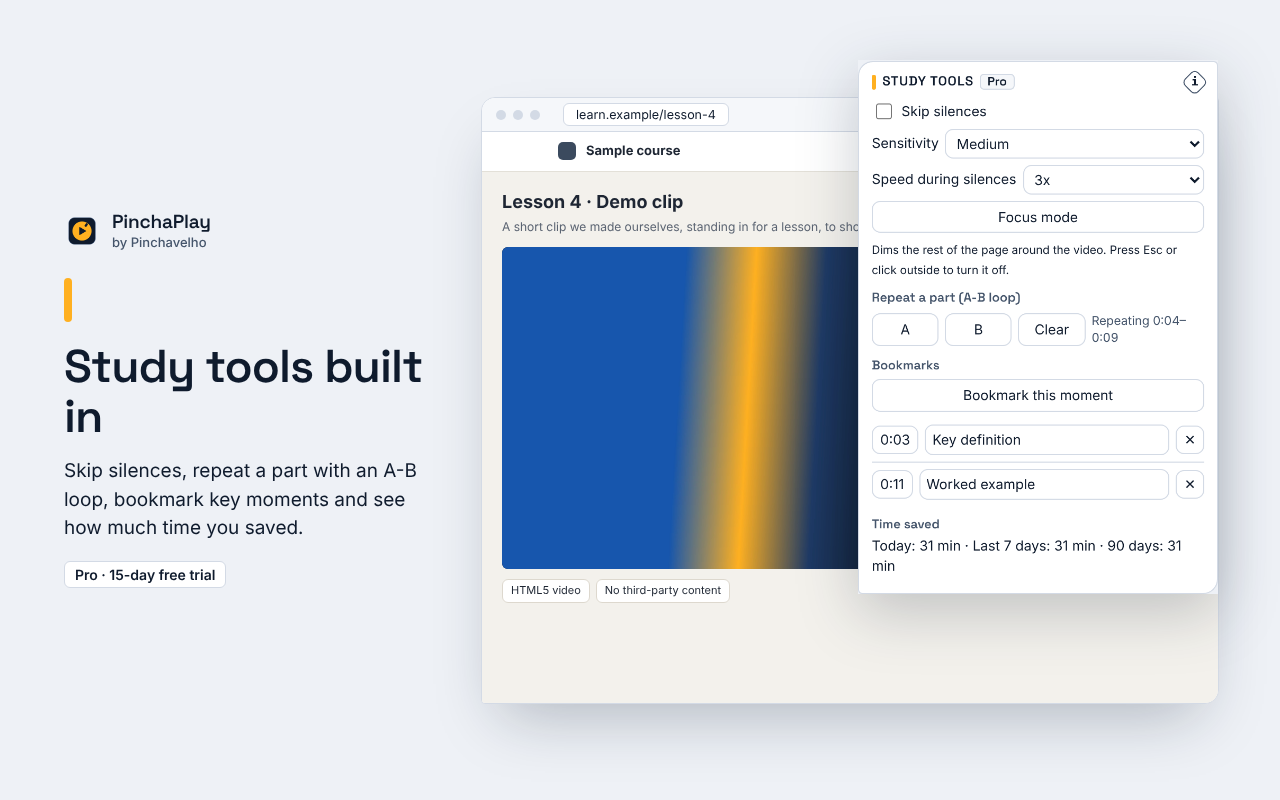
Skip 10 seconds with a key. With Pro, PinchaPlay speeds through the silences in lessons and talks, and tells you how much time you saved.
Study tools
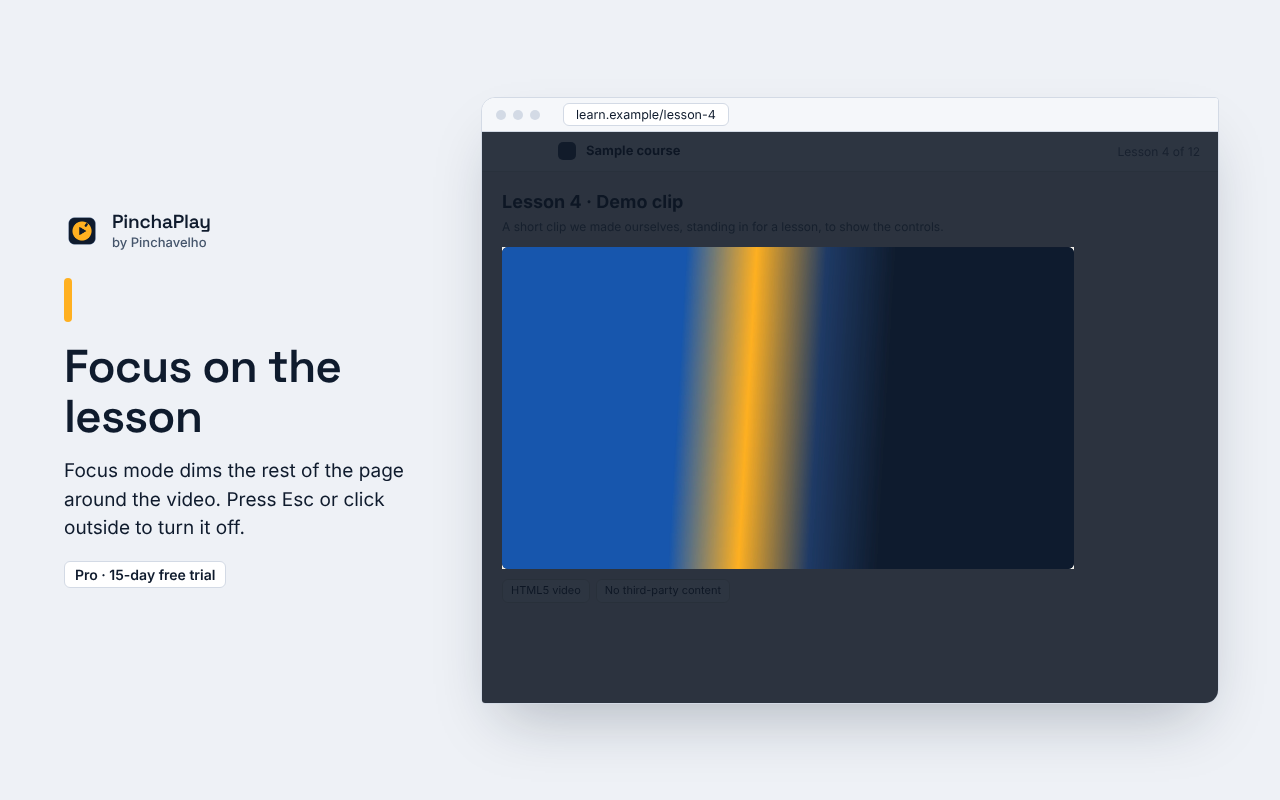
With Pro: repeat a part with an A-B loop, bookmark moments, go frame by frame and dim the page with focus mode.
Clearer sound
With Pro: volume up to 600% with a limiter, a 10-band equalizer, Clear voice and Night modes, mono and balance.
Free and Pro
| Feature | Free | Pro |
|---|---|---|
| Speed from 0.1x to 16x, with presets | Included | Included |
| Skip back or forward 10 seconds | Included | Included |
| Keyboard shortcuts | Included | Included |
| Shift + mouse wheel over a video changes speed | Included | Included |
| On-screen speed indicator | Included | Included |
| Picture-in-picture | Included | Included |
| Works on any site after one click on the icon | Included | Included |
| Turn it off on chosen sites | Included | Included |
| Always on for the sites you choose | Not included | Included |
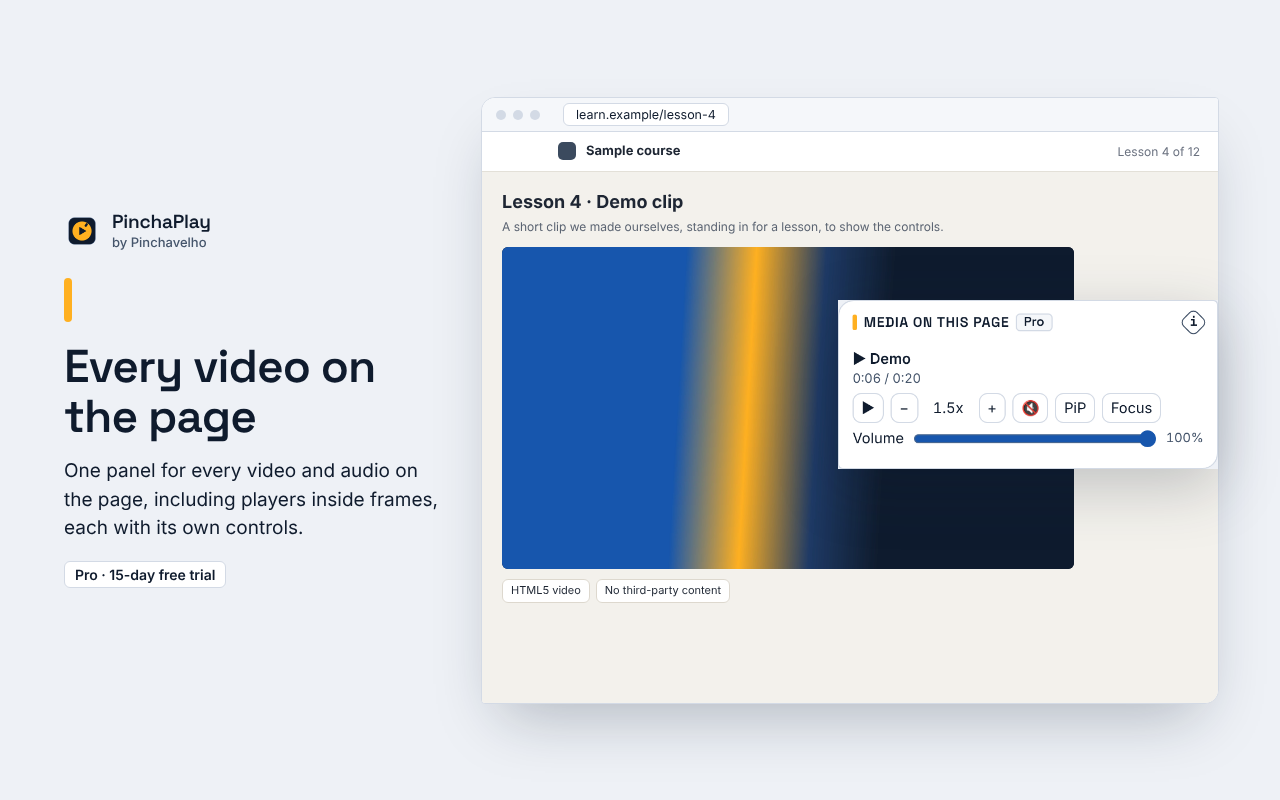
| Panel with every video and audio on the page | Not included | Included |
| Skip silences in lessons and talks | Not included | Included |
| A-B loop and bookmarks | Not included | Included |
| Frame by frame | Not included | Included |
| Time left at your speed, and time saved | Not included | Included |
| Focus mode | Not included | Included |
| Volume boost up to 600% | Not included | Included |
| 10-band equalizer with presets | Not included | Included |
| Clear voice and Night modes, mono, stereo balance | Not included | Included |
| Per-site memory (stored only on your computer) | Not included | Included |
| Custom shortcuts, including volume keys | Not included | Included |
Price
PinchaPlay Pro: pay what you think is fair
Minimum €1.99, VAT included, until 31 January 2027. From 1 February 2027 the minimum is €2.99.
One-time payment. Lifetime personal licence. No subscription, no automatic renewal. Paying more doesn’t add features: everyone gets the same Pro. You can still change the amount on the checkout.
Secure checkout by Polar, our merchant of record, which handles payment, VAT and your invoice. The final amount is shown before you pay.
(i) What PinchaPlay can’t do
They’ll always win.
Some things we wanted to build are not possible, or not allowed. Here they are, before you buy.
We thought of: Saving videos to your computer.
Why not: We left it out on purpose, out of respect for creators. Sales platforms also do not accept this kind of product.
What it does instead: It only changes how the video already playing is played.
We thought of: Improving the sound of copy-protected videos, or of videos from another site that does not allow it.
Why not: These videos do not let other apps read their sound. Getting around that would mean breaking the protection.
What it does instead: Speed still works. Sound effects and skip silences turn off by themselves and PinchaPlay tells you.
We thought of: Skipping the ads on video sites.
Why not: It goes against those sites’ rules and against the creators who live from those ads.
What it does instead: Nothing: ads stay as the site shows them.
We thought of: Working on its own on every site from the moment you install it.
Why not: That would need permission to read and change every site you visit. We prefer to ask you first.
What it does instead: It works after one click on the icon. With Pro you choose the sites where it turns on by itself.
We thought of: Working on Chrome’s own pages and on the Chrome Web Store.
Why not: Chrome does not let any extension into those pages.
What it does instead: It works on every other web page.
We thought of: Syncing bookmarks and time saved between your computers.
Why not: We would have to send your data to a server. We promised not to.
What it does instead: They stay only on this computer, and you can delete them in Options.
Found another case? Write to opinchavelho@gmail.com. We review this list with every version.
Try first, decide later
- 15 days of every Pro feature, free, from installation. No sign-up, no card.
- After the trial, PinchaPlay simply goes back to the free version. Free keeps working.
- Before paying, the checkout asks you to tick: “I want immediate access and I accept that I lose my 14-day right of withdrawal.” So there is no refund for a change of mind.
- If Pro doesn’t work as described, the legal guarantee applies: we fix it, reduce the price or refund what you paid. Refund policy.
Permissions, in plain words
| Permission | Why |
|---|---|
storage | Remembers your choices, bookmarks and licence key on this computer only. |
activeTab | PinchaPlay only enters a page when you click its icon or press Alt+Shift+R. The access ends when you leave the page. |
scripting | Puts PinchaPlay’s controls into the page you chose. Only files inside the extension are used, never code from the internet. |
| Sites you choose (optional, Pro) | Only if you click “Always on for this site” and Chrome asks you to allow that one site. You can withdraw it at any time. |
api.polar.sh | Checks your Pro licence key with Polar, the shop, about once a day. Only after you enter a key. |
PinchaPlay does not ask for access to all websites and has no access to your history, tabs or cookies.
Privacy and respect
Stays on your computer
Settings, bookmarks and time saved are stored only in your browser. No analytics, no tracking, no remote code. The only network request PinchaPlay makes is the licence check with Polar, and only if you enter a key.
Respects creators
PinchaPlay only changes how media that is already playing is played. It does not save or record media, does not get around copy protection (DRM) and does not skip ads.
Questions
Why do I have to click the icon?
So PinchaPlay can only see the pages you choose. Click the icon or press Alt+Shift+R on a page with video, and it is ready. With Pro you can choose sites, such as your course platform, where it turns on by itself.
Does it work on every video?
It works with the standard video and audio of web pages. On copy-protected videos the speed still works, but sound effects and skip silences turn off by themselves. Chrome’s own pages and the Chrome Web Store are closed to every extension.
What happens when the trial ends?
The Pro features lock and PinchaPlay goes back to the free version. Your bookmarks stay on your computer. Nothing is charged: there is no card to charge.
Can I use Pro on more than one computer?
Yes, on your own browsers. The licence is personal: it is for you, not for sharing or reselling.
Do I need an account?
No. After payment your licence key is in the Polar customer portal: open it from the link in Polar's confirmation email or sign in with the email you used to buy; you paste it into PinchaPlay’s Options.
Transparency report · Privacy policy · Terms of sale & EULA · Refund policy